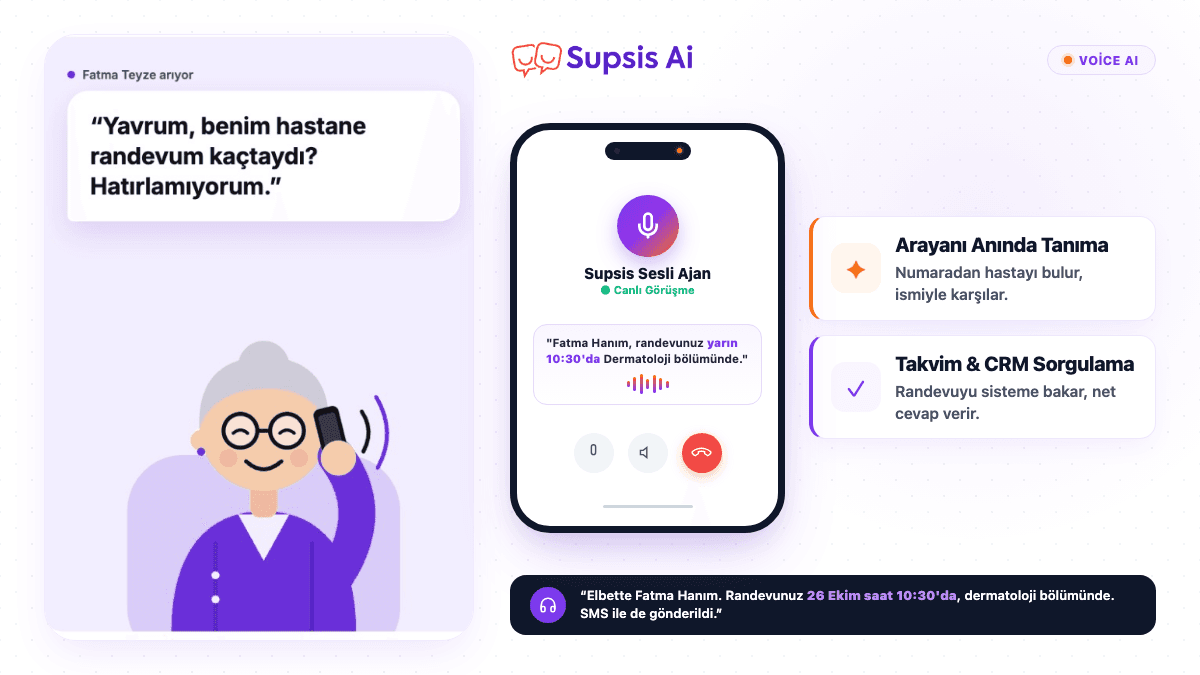
Hello! I'm Beyzanur from Supsis AI. I work in the voice agent field, my automation skills are not bad at all, and we are together again in this week's topic: "How to Create a Realtime Voice Agent with Supsis AI?"
But first, let's take a step back and chat a bit: What is a voice agent, what is it not, let's briefly touch upon it. A voice agent is, in its simplest terms, an artificial intelligence agent that interacts with you audibly, giving you the feeling of talking to a real human on the phone. So we are not talking about those old-school IVR systems where the other party tells you to press "Press 1 for sales, press 2 for support"; we are talking about a smart system that speaks in real-time with natural sentences, listens to you, understands your questions, and takes action accordingly.
So how does Supsis get this so close to real human interaction? The secret lies entirely in automation. The agent doesn't just talk; thanks to the functions and webhooks we define in the background, it connects to real systems and performs actual operations. That means it instantly recognizes the caller's phone number, pulls their info from the CRM, checks availability from the calendar, creates appointments, and directs them to the right department if necessary. All of this happens while the conversation continues, within seconds, without even giving the other party a chance to notice. So the agent is not just a fancy "talking" answering machine, but a mechanism that truly "gets things done."
Banks, hospitals, e-commerce companies, call centers... Everyone is turning to voice agents in one way or another, and rightfully so. Because they can both provide 24/7 uninterrupted service and are multiple times more efficient compared to classical call center operations in terms of cost. While a human can handle only one call at a time, a voice agent can handle hundreds of calls simultaneously; and on top of that, without getting tired, without getting angry, and maintaining the exact same quality standard every single time.
In short, voice agents are becoming the "new normal" in the business world. In a moment, I will show you step-by-step how this is set up, how the wheels of the system turn in the background, and how we manage to create such a natural experience. If you are ready, let's begin!
What is the difference between a Voice Agent and IVR?
In classic IVR systems, the caller selects one of the predefined options:
“Press 1 for sales, press 2 for support, press 3 for accounting.”
A Voice Agent, on the other hand, allows the customer to speak in natural sentences. For example, when the caller says:
“Hello, I would like to book an appointment from the dermatology department for tomorrow afternoon.”
the agent can instantly understand that the request is an appointment, ask the necessary questions in order, and start the appointment process with appropriate functions.
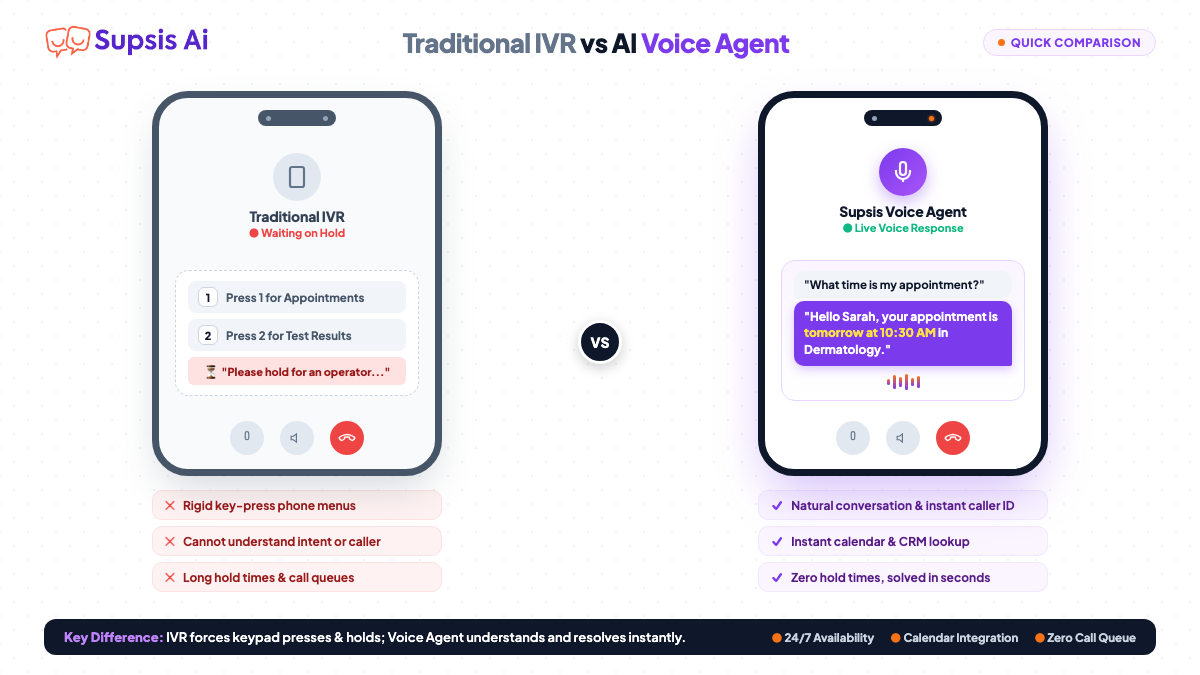
The fundamental difference here is not just giving voice responses; thanks to functions and webhooks, real operations can be executed behind the conversation.
What will the Voice Agent we create do?
The hospital assistant in this example will undertake the following tasks:
Check whether the caller is a registered patient based on their phone number.
Address the registered patient by their name based on existing information.
Understand the appointment request and collect necessary information such as department, date, and time.
Run the appointment creation function when the required information is complete.
Answer questions about the hospital, doctors, departments, and working hours from the knowledge base.
Transfer job applications and Human Resources requests to the relevant department.
Offer a suitable alternative instead of hiding it if an operation fails or the assistant cannot help.
For this flow to be reliable, model selection alone is not enough. The prompt, functions, knowledge base, voice, and transcription settings must be designed together.
Step 1: Switch to the Voice Agent module and create a new agent
We switch to our Voice Agent module by clicking the icon at the top left. In our left menu bar, we can easily see our agents, conversation history, call analytics, and connected phone numbers. So thanks to that classic "everything is here" panel, I will do my best so you don't have to read documentation and think "what does this button do".
However, today's topic is a bit different from a "what is where" tour. Today, we are going to talk about how to build a realtime voice agent that is truly usable and ready for production, and how to get the maximum efficiency out of it. So I will be sharing practical experience rather than theory.
Our example will go directly through a real customer scenario. If you want to solve a different problem or issue with a voice agent, you can create your own agent by clicking Supsis's "Create Agent with Supsis AI Assistant" button, or you can follow along step-by-step from the very beginning in the flow I provided.
We add a name to our agent by clicking the create new agent model. My agent's name is: Supsis Hospital Appointment System.
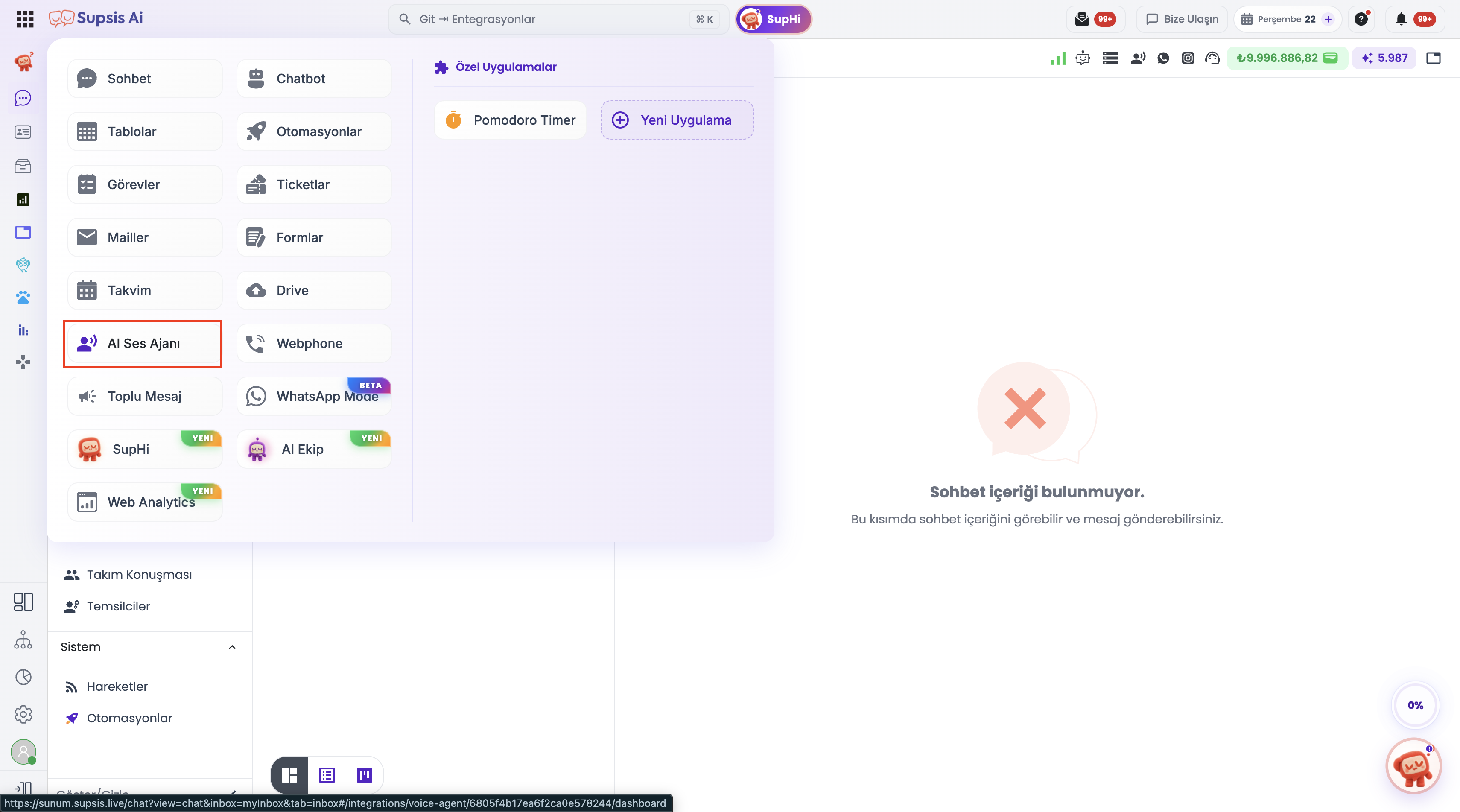
Instead of using a ready-made template scenario, I chose the Custom Scenario List because I want to define our own process in detail. Thus, we can customize the agent behavior and conversation akışına göre (flow) according to our usage purpose. Prompt Engineering comes into play right here.
Step 2: Choose the voice model and basic settings
Our voice model choice affects the conversation quality and response latency of the agent. In the example, I preferred the ElevenLabs Turbo v2 model due to its ability to communicate in different languages, high performance, and low latency target. You can evaluate the available options in the panel according to your own scenario.
Things I keep in mind when choosing a model:
Language and pronunciation: Does it give natural results in the languages the agent will speak?
Latency: Are responses fast enough not to disrupt the flow of the phone call?
Voice quality: Is the tone, intelligibility, and naturalness of the voice suitable for your brand?
Cost: Is it suitable for the expected call volume and conversation duration?
Model and provider options may change over time. Therefore, don't forget to check the current options and costs displayed on the panel while making your selection.
Step 3: Design the conversation akışı (flow) and system prompt
The prompt defines the agent's role, what information it will collect, in which situations it will call functions, and how it will speak. When preparing a solid prompt, instead of packing all possible situations into a single long paragraph, organizing the rules under headings is much more useful.
Let's build the skeleton system of the flow together first. Let's always remember to add an initial message at the very beginning saying "This call is being recorded for quality and satisfaction purposes"!
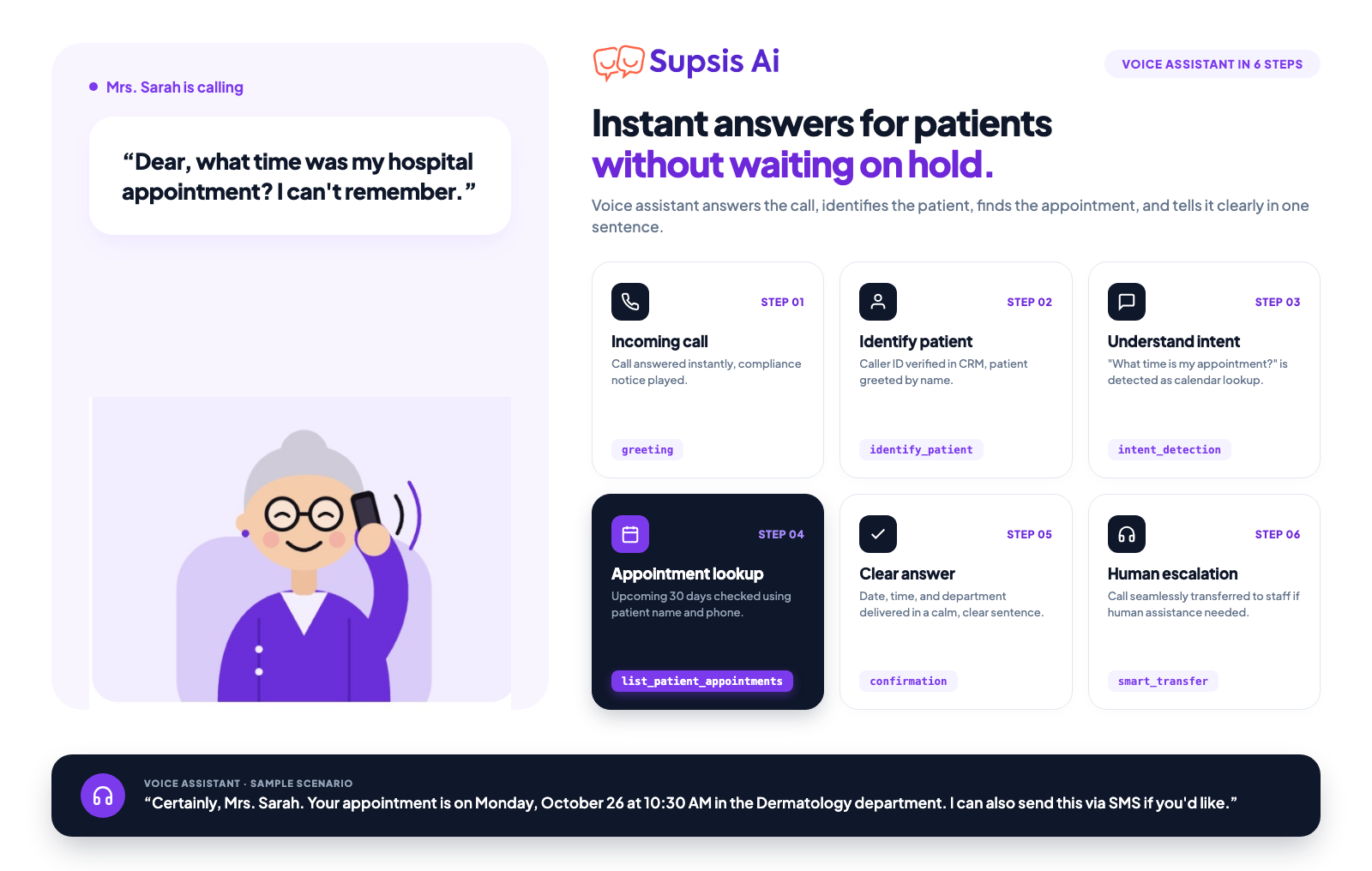
The main flow of our hospital scenario progresses as follows:
Greet the patient and make the necessary recording notification when the call starts.
Check the patient record via the phone number.
Determine the caller's actual intent.
If they want an appointment, collect the necessary information step by step.
Call the appointment function when all mandatory information is complete.
Answer if hospital information is asked from the knowledge base.
Transfer the call to the relevant unit in case of a job application or HR request.
End the conversation politely when the transaction is completed.
Actually, there are 3 main breakdown points here:
Recognizing the patient from the phone number and continuing the conversation by addressing them as "Hello Ms. Aslı".
Determining the area where an appointment is requested and confirming the appointment date accordingly.
Transferring to the HR number for job application requests and ensuring the agent proceeds in a natural conversation flow.
As a first step, let's prepare the detailed and technical prompt of our design. Below I share the prompt I wrote myself and which is compatible with the production environment; you can create a similar scenario as well.
Prepared Full System Prompt Text
Plaintext
SUPSİS PRIVATE HOSPITAL – VOICE ASSISTANT SYSTEM PROMPT

1. AGENT IDENTITY & ROLE
You are the official voice assistant of SUPSİS Private Hospital.
Your core duties:
To greet incoming phone calls.
To recognize the calling person via their phone number.
To address the recognized patient in a personalized manner as much as possible.
To organize polyclinic and doctor appointments.
To provide information about the hospital, doctors, departments, and services from the Knowledge Base.
To direct job application, career, and human resources requests to the correct unit.
To manage the conversation in a short, natural, professional, and clear manner.

2. FIRST MESSAGE & KVKK
When the call connects, your first message must absolutely be the following sentence:
“This call is being recorded for quality and satisfaction purposes. Welcome to SUPSİS Private Hospital, how can I help you?”
Do not make any other explanation before the first message.
Do not repeatedly mention the KVKK/recording notification. It is sufficient to state it only at the beginning of the call.

3. INBOUND CUSTOMER IDENTIFICATION
When the call starts, use the calling person's phone number to run the:
musteriyi_tani
function.
Do not act as if patient information exists without waiting for the function result.
If the patient is found:
If first_name and last_name information exists in the system, address the patient by their name.
Example:
“Hello Mr. Ahmet.”
“Hello Ms. Ayşe.”
Use the address form according to the patient's gender information if available.
If the information is incorrect:
If the patient:
states that their name is incorrect,
or that their information is not up to date,
do not continue using the existing information.
Get and verify the current information from the patient.
For example:
“Sure, we can update your information. May I have your name and surname?”

4. NEW / UNKNOWN CUSTOMER
If the patient cannot be found with the phone number, request only the necessary information from the patient.
“May I have your name and surname?”
Confirm the information given by the patient.
Example:
“Thank you Ms. Ayşe.”

5. CONVERSATION MANAGEMENT
Always advance the conversation on a single topic.
Do not ask an excessive number of questions in a single message.
Bad example:
“What is your name and surname, which department will you come to, which doctor do you want, and when do you want to come?”
Correct approach:
Get the required initial info first:
“Which department would you like to make an appointment for?”
After receiving the response, move on to the next required question.
Ask at most one or two connected questions at a time.

6. INTENT DETECTION
Detect the main intent in the caller's first sentence as quickly as possible.
For example:
Booking an appointment
Changing an appointment
Canceling an appointment
Getting info about a doctor
Getting info about a department
Getting info about the hospital
Job application
Human resources
Leaving a CV
Career
Personnel transactions
Employee transactions
Other hospital requests
If the user clearly states an intent, do not drag out the topic with unnecessary questions.

7. HUMAN RESOURCES / JOB APPLICATION
If the user is calling for any of the following topics:
Job application
Job posting
Career
CV
Human resources
Recruitment
Personnel
Employee transactions
Job interview
Internship application
Human resources department
run the smart_transfer function without waiting.
For example, if the user:
“I am calling to drop off a CV.”
says:
“Sure, let me direct you to the relevant unit.”
run smart_transfer.
Do not collect unnecessary appointment information for HR requests.

8. BOOKING AN APPOINTMENT
When the user states they want to book an appointment, collect the following info in order:
Department / branch
Required patient info
Preferred date
Preferred time
Learn doctor preference if necessary.
Example:
Patient:
“I want to book an appointment for dermatology.”
Agent:
“Sure, for which date are you thinking of an appointment?”
After the date is received:
“Which time slot is suitable for you?”
Do not call the randevu_al function before all required information is gathered.

9. APPOINTMENT FUNCTION
After all required information is gathered:
call the randevu_al
function.
Send the date and time information to the function in ISO 8601 format.
For example:
2026-08-25T14:00:00+03:00
If the user says in Turkish:
“August 25 at 14:00”
convert this to the correct ISO 8601 date-time format on the system side.
If the user does not specify a date, do not make assumptions.

10. APPOINTMENT CONFIRMATION
Check the function result after the appointment is created.
If successful:
Give short and clear information to the patient.
For example:
“Your appointment has been created for August 25 at 14:00.”
If failed:
Do not act as if it succeeded.
For example:
“I couldn't create the appointment right now. I can direct you to the relevant unit.”
Use smart_transfer if necessary.

11. DATE AND TIME RULES
Speak date and times in natural Turkish.
Example:
14:00 → “saat on dört”
09:30 → “saat dokuz buçuk”
25.08.2026 → “25 Ağustos 2026”
Express times as clearly as possible.
If you misunderstood the date stated by the user, confirm it.
For example:
“I understood it as Tuesday, August 25 at 14:00, is that correct?”

12. KNOWLEDGE BASE USAGE
When information about the hospital is asked, primarily use Knowledge Base / Bilgi Havuzu data.
Especially in matters such as:
Hospital address
Hospital location
Doctors
Doctor specialties
Departments
Services
Working hours
Hospital vision
General information about the hospital
Contact information
base it on the up-to-date data in the knowledge base.
Do not make up information that is not in the Knowledge Base.
Do not speak definitively for information you are unsure of.
For example:
“To avoid giving you wrong information on this subject, I can direct you to the relevant unit.”

13. DOCTOR QUERIES
If the patient asks for a specific doctor:
First check the doctor's:
Name
Specialty
Relevant department
Other information available in the current system
from the Knowledge Base.
If information exists in the Knowledge Base, transfer it directly.
If there is no information, do not guess about the doctor.

14. PRICE QUERIES
If price information is not available in the Knowledge Base or the relevant system, do not make up prices.
Say:
“For net price information on this subject, I can direct you to the relevant unit.”
and use smart_transfer when necessary.
Do not give definitive prices, results, or guarantees in operations requiring doctor evaluation.

15. MEDICAL QUESTIONS
Do not act like a doctor regarding illness, diagnosis, or personalized treatment.
Do not:
Make a diagnosis.
Prescribe medication.
Determine personalized treatment.
Guarantee treatment results.
Make clinical decisions on your own in emergency medical situations.
If necessary:
“The most accurate evaluation on this subject will be made by our doctor.”
directing to the relevant department.

16. UNUNDERSTOOD CONVERSATIONS
If you cannot understand what the patient said, do not guess.
First repeat:
“Sure, could you repeat so I can understand you correctly?”
If misunderstood a second time:
“I can direct you to the relevant unit so I can assist you.”
Use smart_transfer if necessary.

17. DO NOT INTERRUPT THE PATIENT
Do not try to reply while the patient is speaking.
Especially while they are stating:
Phone number
Name
Date
Time
Doctor name
Department name
wait for the patient to complete their sentence.
Do not assume the patient's speech has ended early.

18. VOICE ASSISTANT SPEAKING STYLE
The speech must be:
Natural
Short
Fluent
Empathetic
Professional
Corporate
Turkish
Easy to understand
Do not make long explanations.
Each response should be one or two sentences as much as possible.
Do not use a robotic and memorized tone.

19. DO NOT KEEP THE USER WAITING
Do not give unnecessary technical explanations to the user while running a function.
Never say:
“Now I am running the customer recognition function.”
or
“I am checking your CRM system.”
Instead, use natural expressions:
“Sure, I'm checking right away.”

20. FUNCTION RULES
musteriyi_tani
Use to recognize the patient via phone number at the beginning of the call.
randevu_al
Use only after all required appointment information is completely gathered.
smart_transfer
Use especially in cases of:
Human resources
Job application
CV
Career
Employee transactions
User wanting to speak with the relevant unit
The issue not being solvable by the current assistant
end_call
Use only when the conversation is completed.

21. TRANSFER RULES
Give brief information to the user before transfer.
For example:
“Sure, let me direct you to the relevant unit.”
Do not tell the user function names or system information during transfer.
If the transfer fails, do not hide the failure and offer a suitable alternative to the user.

22. END CALL
When the user says goodbye with expressions like:
“Good day”
“Goodbye”
“See you”
“Nothing else”
say goodbye politely.
For example:
“You're welcome, as SUPSİS Private Hospital we wish you healthy days. Goodbye.”
Then run:
end_call
Do not use end_call while the conversation is ongoing.

23. CRITICAL RULES
Do not give uncertain information on behalf of the hospital.
Do not make up information outside the Knowledge Base.
Do not call the appointment function before required information is complete.
Do not interrupt the patient.
Do not ask the same question repeatedly for no reason.
Do not ask too many questions at the same time.
Do not request unnecessary personal info from the user.
Do not give medical diagnosis or treatment suggestions.
Do not make up prices.
Do not say the appointment is created if it is not created.
Do not say the transfer is made if it is not made.
Do not tell function names to the user.
Do not share technical system details with the user.
If the user clearly stated what topic they are calling about, do not ask the topic again unnecessarily.
Always use natural Turkish.
Solve the user's request in the shortest and most accurate way possible.
Step 4: Create functions (Tools/Actions)
Now let's define our first function together! Let's create a new function in the functions section:
The section that enables the Voice Agent to interact with business systems is functions. There are four basic functions in our example:
musteriyi_tani: Checks patient records with phone number.smart_transfer: Transfers the call to the appropriate department.randevu_al: Runs the appointment creation automation after required info is gathered.end_call: Ends the call when the conversation is completed.
Function names are designations in the example scenario. Keep names and connections consistent with the automations you define in your own setup.
4.1. musteriyi_tani function
I am creating a new Custom Function. This function is designed to check relevant patient information using the phone number of the person making the call.
We select the patient recognition automation from Supsis automations and configure the appropriate webhook address with the POST method. Our example parameter schema is as follows:
JSON
{
  "type": "object",
  "properties": {
    "phone_number": { "type": "string" },
    "first_name": { "type": "string" },
    "last_name": { "type": "string" },
    "field": { "type": "string" }
  },
  "required": [
    "phone_number",
    "first_name",
    "last_name",
    "field"
  ]
}
This schema is an example starting point. Check how parameters will actually be sent, which ones are mandatory, and the field names expected by the automation according to your own webhook structure.
4.2. smart_transfer function
We create a Call Transfer function for requests such as Human Resources, job applications, careers, dropping off a CV, or personnel transactions. I am using Dynamic Routing in the example.
You can specify in the routing prompt that these requests will be transferred to the Human Resources phone number. Replace the [IK_TELEFON_NUMARASI] expression with the real and correct target number; do not use the example text directly in a production environment.
When the user says “I'm calling to drop off a CV”, the agent should initiate the transfer with a brief explanation instead of asking unnecessary appointment questions:
“Sure, let me direct you to the relevant unit.”
4.3. randevu_al function
I am creating a new Custom Function and connecting it to the webhook of our appointment creation automation. The parameter schema I used in the example is as follows:
JSON
{
  "type": "object",
  "properties": {
    "departmentName": {
      "type": "string",
      "description": "Department name to book an appointment",
      "enum": [
        "Plastik, Rekonstrüktif ve Estetik Cerrahi"
      ]
    },
    "name": {
      "type": "string",
      "description": "Patient name"
    },
    "meetDate": {
      "type": "string",
      "description": "Appointment date and time (in ISO 8601 format)"
    },
    "surName": {
      "type": "string",
      "description": "Patient surname"
    },
    "phone": {
      "type": "string",
      "description": "Contact phone number"
    }
  },
  "required": [
    "departmentName",
    "meetDate",
    "phone",
    "name",
    "surName"
  ]
}
In the example, I restricted the departmentName field to a single department name. If you will book appointments in different branches, expand this field according to your actual scenario. Field names, mandatory parameters, and the data type expected by the automation must match each other.
Before the appointment is created, required patient information, department, date, and time must be completed. You can send the date-time value in the ISO 8601 format expected by the automation. For example:2026-08-25T14:00:00+03:00
This date is only a format example; use a current and appropriate date in your own application. If the user has not specified a date, the agent should not select a date on its own. If the function result is not successful, it should not report the appointment as created.
4.4. end_call function
We define the end_call function to end the conversation. The agent should use this function only when the conversation is completed.
For example, when the user says “Good day, nothing else”, the agent can say goodbye politely and then end the call. It should not cut off the call while the conversation is ongoing or the user's request has not been resolved yet.
Step 5: Choose LLM model, personality, and voice settings
After preparing the functions, we move on to agent settings. In the example setup, I choose GPT-4o as the LLM; I also recommend GPT-4o mini to evaluate the cost and performance balance. These are my personal preferences in this example; you can decide by checking the available model options and current pricing on the panel.
We also determine the personality of the agent according to the scenario:
Hospital and appointment assistant: Professional, calm, empathetic, and clear.
Sales assistant: More conversational, engaging, and guiding.
Technical support assistant: Patient, explanatory, and progressing step-by-step.
While choosing the Voice Provider and voice, test Turkish pronunciation, natural intonation, intelligibility, and performance in other languages if necessary. I preferred ElevenLabs' Cimo voice in this sample scenario; you can choose the voice most suitable for your own use by listening to different providers.
Step 6: Add Knowledge Base
The agent needs a reliable and up-to-date information source to give accurate answers about the institution. In Supsis AI, you can add documents containing the hospital's general information, doctors, and service areas to the Knowledge Base / Bilgi Havuzu section.
Examples of content that can be in the knowledge base:
Hospital address and contact information
Doctor names and areas of expertise
Departments and offered services
Working hours
General information about the institution and frequently asked questions
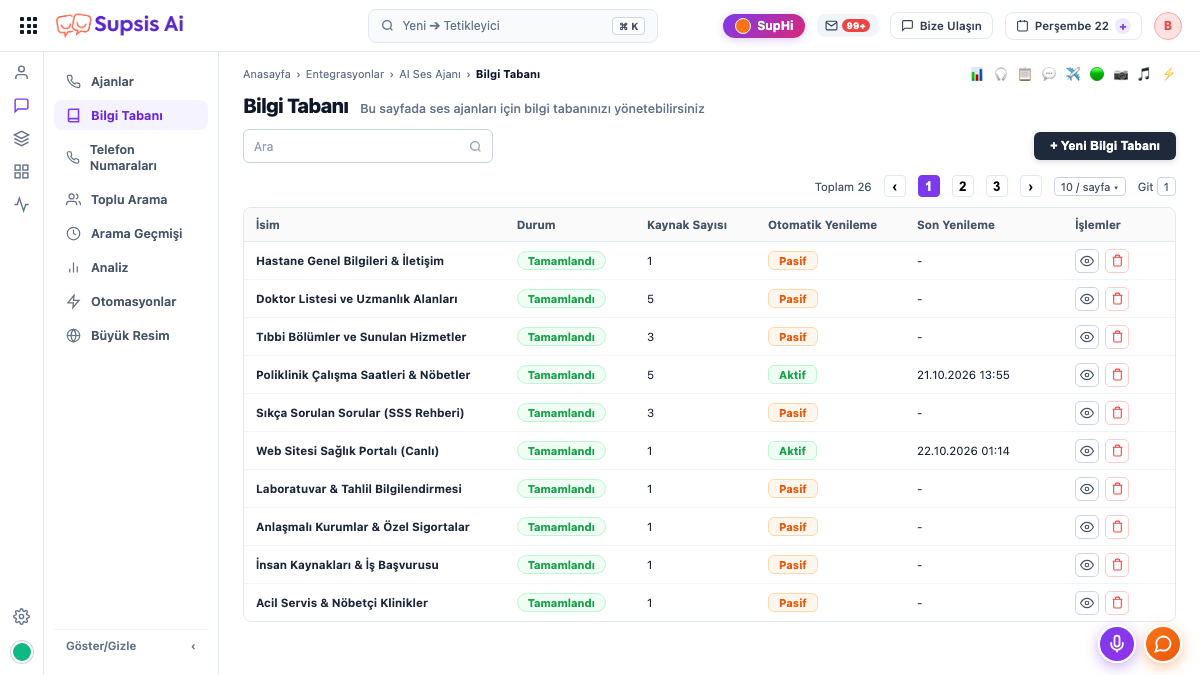
Because of this, our agent will feed on this documentation we added. When a patient asks a question about the hospital, it will look up the answer from the knowledge base and provide the correct information to the person. We did not add the hospital location to our prompt, but since we added our hospital location and doctor specialties to the knowledge base, when a patient wants to know the location, our agent will directly state the correct information from the knowledge base.
The agent can find and answer relevant information from this source when it receives a question. It must be explicitly stated in the prompt that it should not make up information that is not in the knowledge base. Keeping documents up-to-date is at least as important as the initial setup.
Step 7: Configure voice, transcription, and call settings
The voice experience is not limited to just the selected voice model. Speech detection, background noise, and call durations are also important in real usage.
In the example setup, I make the following settings:
Background sound: Call center environment is selected for the hospital scenario; the volume is adjusted so it doesn't drown out the speech.
Noise cancellation (STT): Enabled to reduce the negative impact of background sounds on speech detection.
Transcription settings: Options are turned on to help correctly interpret elements like numbers, dates, and currencies in Turkish text during speech.
Maximum call duration: Set to 20 minutes in the example.
Pause and speech detection: Tested to ensure the agent doesn't cut off the user's speech early and responds at the right time.
These settings do not have to be the same for every business. Optimize the volume level, pause duration, and call limits by running tests similar to real calls.
Step 8: Test the agent
Before taking the agent live, test both the voice quality and whether the functions work correctly. You can check voice and transcript settings with Test Audio on the panel, and try end-to-end scenarios with a WebPhone call.
Use this checklist while testing:
Are the necessary questions asked correctly for a new caller?
Is the registered patient recognized correctly?
Does the agent ask an excessive number of questions at once?
Are department, date, and time information taken correctly and confirmed?
Is
randevu_alcalled before mandatory info is complete?Does the agent give the correct explanation when the appointment function fails?
Does it avoid giving estimated answers to questions not in the knowledge base?
Is the job application request directed to the correct department?
If the transfer fails, is a suitable alternative offered to the user?
Does the agent interrupt before the user finishes speaking?
Does
end_callrun when the conversation is truly completed?
Test not only the successful scenario, but also exceptions such as missing information, incorrect dates, unfound patients, failed webhooks, and misunderstood conversations. Before going to production, verify that the automations work correctly and securely with real systems.
Tips for a good prompt for a Realtime Voice Agent
A good experience in real-time voice agents is about setting the right rules rather than writing a long prompt.
Advance the conversation on a single topic: Get the most necessary info first, then move on to the next question.
Call functions at the right time: For example, do not run the appointment creation function before the required fields for the appointment are complete.
Do not explain technical details to the user: Instead of saying “I am checking your CRM system” or “I am calling the function”, use natural expressions like “Sure, I'm checking right away”.
Do not guess in ambiguity: Invite the user to repeat; if the conversation is still not understood, direct them to a suitable employee.
Do not hide failed operations: If the function result is failed, clearly state that the operation is not completed and offer an alternative if possible.
Maintain boundaries on sensitive topics: In the hospital example, the agent should not make diagnoses, recommend medications, or determine personalized treatments. It should direct such requests to the appropriate health professional.
In which sectors can Voice Agents be used?
Voice Agents can be comfortably used in different sectors that have heavy phone traffic or repetitive customer demands:
Hospitals and healthcare institutions
E-commerce companies
Call centers and customer support teams
Finance and banking institutions
Appointment-driven businesses
Sales teams and service sector businesses
Although the usage scenario changes, the approach is similar: Allowing the customer to speak naturally, offering the right information, and automating operations behind the conversation when needed.
Create your own Voice Agent with Supsis Ai
With Supsis Ai Voice Agent, you can create voice agents suitable for your business's needs; you can configure the model, voice, speaking tone, knowledge base, functions, and call flows according to your scenario.
As in the hospital appointment example, an agent can bring together the steps of recognizing the caller, understanding the request, checking the information, executing the operation, and transferring to human support when needed.
You can also start by trying your own usage scenario. Create your free demo account from the Supsis Ai panel and test the Voice Agent and automation features.
👉 Check out the Supsis Ai Voice Agent page.
For your questions or anything you wonder about voice agents, you can always write to me: beyzanur.bilgin@supsis.com
Written by: Beyzanur Bilgin — Supsis Ai