
How to Build a No-Code Customer Portal for Orders, Tickets and Project Status

A customer portal is a self-service layer that presents selected information from an order, support ticket, project, service case or document record. It is not simply a dashboard placed in front of a database. A useful portal connects a request to the right record, communicates a clear status, shows the next action and limits each customer to information they are authorized to see.
A no-code approach lets teams configure forms, tables, statuses, tasks, tickets, notifications and access rules without building every screen from scratch. That can make iteration easier, but it does not remove the need for process design. Before building the portal, decide which records are customer-facing, what each status means, which fields must remain internal and who handles exceptions.
What problem does a customer portal solve?
Customers should not need to send a new message every time they want to know whether an order has moved forward. They should also be able to see whether a support request was received, is being reviewed, needs more information or has been resolved. A portal brings these recurring questions into a clear status view and gives the internal team a common reference point.
An order portal can show an order number, a product or service summary, delivery steps and the next expected action. A ticket portal can show received, under review, waiting for customer information, resolved or closed. A project portal may expose phases, selected tasks, approvals and due dates. Service operations can show appointments, assignments and outcomes, while dealer workflows can expose selected order, shipment and support information.
The goal is not to expose every internal detail. The goal is to separate information needed for customer decisions from internal notes, costs, private evaluations and unconfirmed operational data. This distinction should be made before the first screen is designed.
No-code portal vs. custom software
Custom software may be appropriate for highly specialized rules, deep integrations or a completely unique user experience. A no-code portal can suit standard or moderately customizable workflows in which records, statuses and permissions can be represented with configurable fields and automations.
Compare the options across more than initial development time. Consider how quickly a status or form can be changed, who will maintain the workflow, how exceptions are handled, what integrations are available and how permission changes are tested. A fast first version can still create operational risk if its record scope is unclear.
A request can be written to a dynamic table, a related task or ticket can be created and the customer-facing status can change when the record is updated. Supsis dynamic tables, form management, ticket management and automation can support different parts of this chain. Authentication, role rules and record scoping must still be tested with representative accounts.
How to build a no-code customer portal
1. Define customer-facing records and statuses
List the record types that will appear: orders, tickets, projects, service cases or documents. For each type, list the customer-facing fields and the internal-only fields. Use labels that customers understand, such as “Request sent to the team”, “We need information from you” and “Resolution completed”. Avoid exposing internal codes when a plain-language explanation is more useful.
Create a status map before configuring the portal. For every status, define its meaning, owner, allowed transition, customer-facing message and next action. For example, “Waiting for customer information” should explain which document or answer is needed and how the customer can provide it. “Under review” should not imply a completion date unless one has actually been confirmed.
2. Collect requests through forms or conversations
A form, web chat or WhatsApp flow can collect customer identity, order or record number, subject, description and required files in a structured way. Keep required fields limited to information needed to identify the record and start the process. Clear validation messages reduce duplicate requests.
If a record number is missing or invalid, ask for more information or route the request to a person instead of silently matching the wrong record. If more than one record matches, do not choose one based on guesswork. Show a safe clarification path and record the unresolved case for follow-up.
3. Connect tables, tasks and tickets
Store the request in a structured record with the customer, record number, request type, priority, owner, status and last update. Create a task when operational work is needed and a ticket when support handling is required. Keep the relationship between the customer-facing record and the internal task or ticket traceable.
Define how internal changes map to customer-facing messages. A team member may use a short internal status, while the portal needs a sentence that explains what happens next. When information is needed, state exactly what the customer should provide. When a case is resolved, show a short summary and the next step rather than an unexplained “closed” label.
4. Configure roles and record isolation
Customers, dealers, service providers and internal teams may require different roles or scopes. The scope may depend on the organization, dealer, contract or project, not only on a customer name. Decide whether a user can see one record, a group of related records or only aggregate information.
Keep internal notes, costs, team evaluations and unconfirmed information out of the external view. Test a user who has no matching record, a user whose access was removed, two contacts at the same organization and a user who enters another customer’s record number. Access behavior depends on the actual application configuration, so validate it with safe test accounts before publication.
5. Automate notifications and escalation
Send notifications when a ticket is created, a status changes, more information is needed or a case is resolved. The message should state the customer’s next action and should not reveal internal routing details. Use the channel that matches the process and avoid sending duplicate notifications for the same transition.
Add an exception path for failed notifications, unmatched records and tasks that do not progress. An alert should identify the record, the failed step and the responsible person. A human should be able to inspect and continue a failed automation without creating a second, conflicting record.
6. Pilot the portal before publication
Start with a small set of representative records and test the complete journey: request intake, matching, assignment, status change, notification, customer view and resolution. Test both the expected path and the failure path. A portal that looks correct with a valid record may still expose an issue when the record is empty, duplicated or archived.
Ask a colleague who did not configure the workflow to complete the test. Their questions often reveal unclear labels, hidden assumptions or an unnecessary field. Record each test result, the account used, the expected visibility and the actual visibility. Fix the workflow before adding more record types.
Example flow: order and ticket status portal
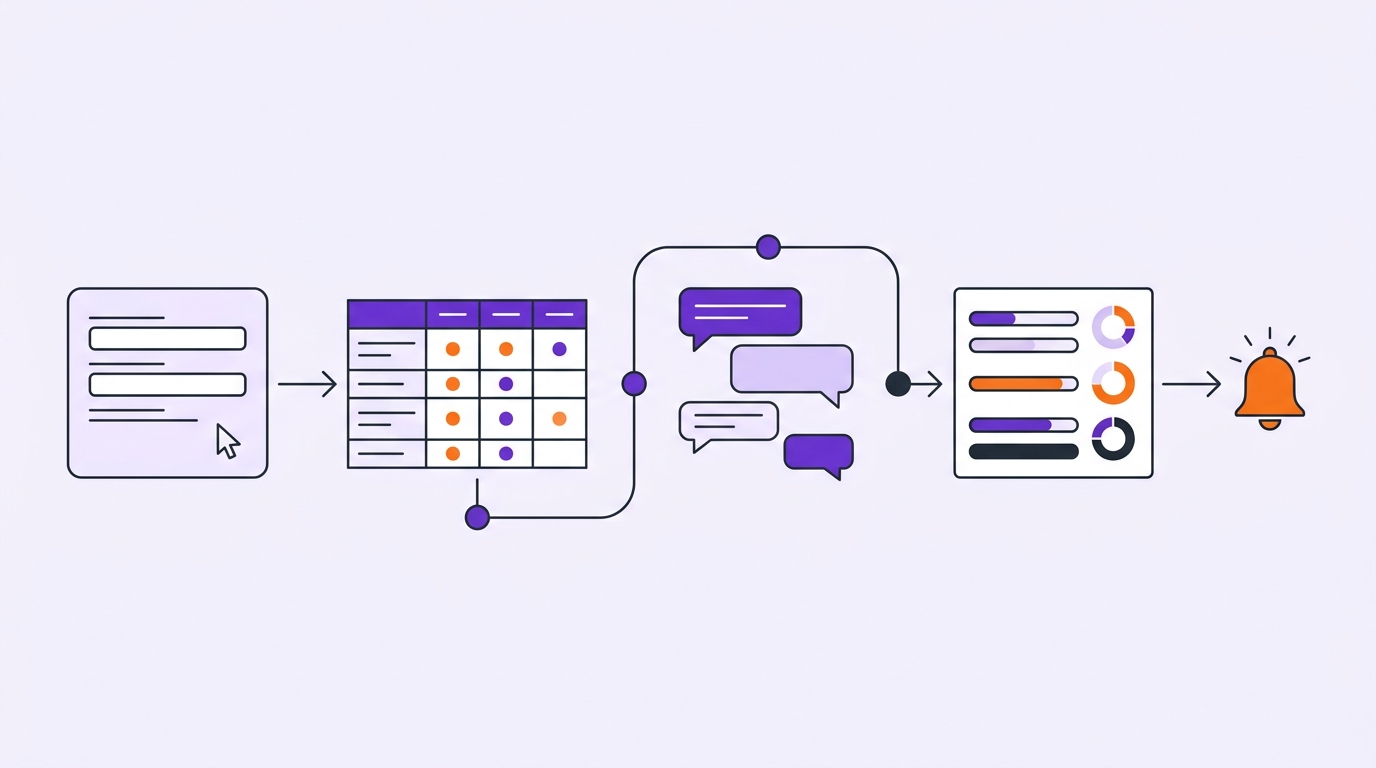
A customer sends an order number and a delivery question through WhatsApp. The workflow validates the customer and order, opens the matching dynamic-table record and creates a ticket with the same context when support is needed. An owner is assigned and the customer sees “Request received”.
When the owner starts work, the customer-facing status becomes “Under review”. If a document or clarification is required, the portal changes to “We need information from you” and explains the requested action. Once the answer is received, the ticket returns to the responsible queue. After resolution, the portal shows a short explanation, the completion status and the next step, such as monitoring delivery or opening a follow-up request.
This flow creates a consistent record even when the conversation begins in a messaging channel. It does not replace the WhatsApp conversation; it brings the conversation, record and operational status into a trackable customer-facing layer. For a broader interface, review Supsis WebApps. For service scheduling, consider calendar and reservation.
Common implementation mistakes
A portal can fail even when its individual components work. One common mistake is publishing every table column because it is technically available. Another is using internal status names that customers cannot interpret. A third is allowing a record lookup before the customer and record relationship has been validated.
Other risks include creating duplicate tickets for repeated messages, sending a notification before the record is complete, and forgetting to define what happens when an automation fails. Prevent these problems with unique identifiers, explicit transition rules, a safe empty-result state and an ownership rule for exceptions.
Security, testing and maintenance checklist
Is every record scoped to the correct customer, dealer, project or contract?
What happens when a user enters another customer’s record number?
Are internal notes, costs and team-only fields hidden?
Are empty, invalid and incomplete inputs handled clearly?
Do ticket and task updates reach the customer-facing view at the right time?
Can a responsible person see failed notifications and automations?
Can an inactive or de-authorized user access old records?
Are duplicate matches and repeated requests handled safely?
Is the portal usable on mobile devices?
Are roles, fields and automations reviewed after process changes?
A portal should not be built once and forgotten. As new roles, fields and exception cases are introduced, review the visible data scope and notification logic again. Keep a small regression checklist so that a change to one process does not unintentionally alter another customer’s view.
FAQ
Which processes can use a no-code customer portal? Orders, tickets, projects, services, appointments, documents and dealer workflows can expose selected status information through a portal.
Does a no-code portal completely replace custom software? Not always. It can suit standard or moderately customizable workflows, while highly specialized rules and deep integrations need separate assessment.
Can customers see each other’s records? With appropriate authentication, role rules and record scoping, visibility can be restricted to permitted records. The actual behavior must be tested in the configured application with representative accounts.
What should a customer see for each status? The customer should see a plain-language explanation, the current stage and the next action. Internal notes, costs and unconfirmed details should remain internal.
How should unmatched records be handled? Do not display a possible match automatically. Ask for a missing identifier, present a safe clarification path or route the request to a responsible person.
How much does a portal cost? Cost depends on the platform, plan, users, message scope, integrations and development requirements. Unverified fixed prices should not be stated.